
Chordify: Song Chords & Tuner
Chordify B.V.Music & Audio
4.22.68K Reviews
- Version
- 2019
- Installs
- 5.00M
- Age Rating
- Everyone
Screenshots
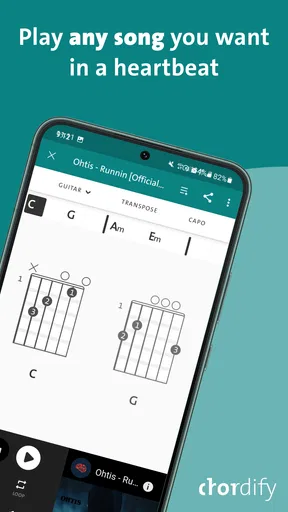
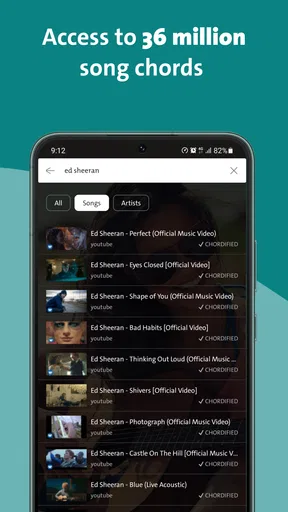
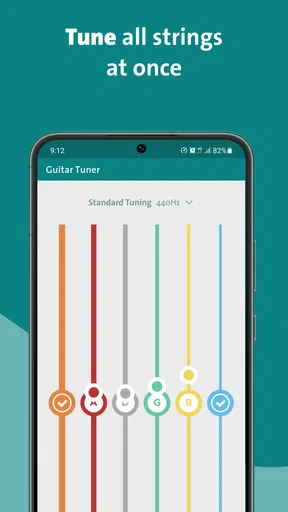
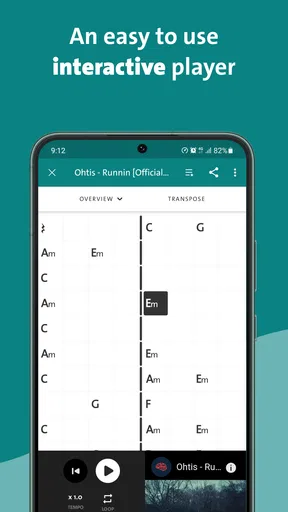
Our Review of Chordify: Song Chords & Tuner
 Analysis by Appyee
When I want to play along with a song but don’t know its chords, I’d rather get to the first useful chord quickly than search through lesson pages. That is the central appeal of Chordify: Song Chords & Tuner: it turns a song into a practical starting point for playing, instead of asking me to work out the harmony by ear from scratch. The idea is especially handy when I know the recording I want to learn but have no chart in front of me.
Song-to-chord guidance is the main draw
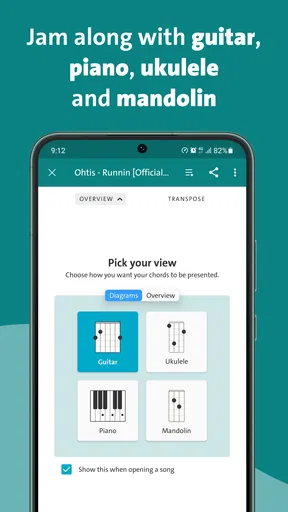
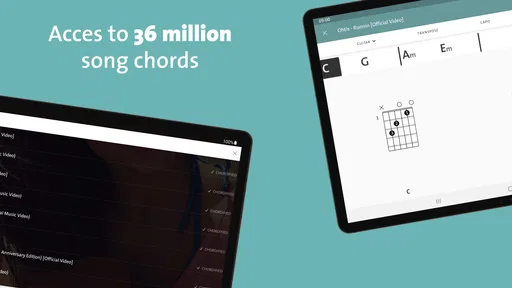
Chordify is a free music and audio app from Chordify B.V. It focuses on showing guitar, ukulele and piano chords for songs, with a catalogue described as containing 36 million chords. That breadth makes it useful for more than familiar radio tracks: I can look for a song I already love, then use its chord sequence as a map for trying it on an instrument. The app has a 4.1 average from around 41,000 ratings, and more than 5 million installs, so it has found a substantial audience among people who want songs to be part of their practice.
The important distinction is that chord guidance is a shortcut into a song, not a substitute for understanding it. A chord display can show me what to try and when to change, but I still need to listen to the recording, feel the rhythm and decide how to strum or voice the harmony. It works best as a bridge between hearing a song and getting my hands moving, particularly when reading conventional notation would slow me down.
Getting Started with Chordify
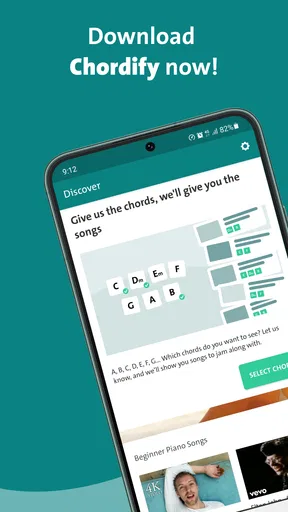
So, what’s the deal with Chordify: Song Chords & Tuner? It’s essentially your personal music assistant that helps you uncover the chords to any song you love. Available on both Android and iOS, the app has a pretty clean interface, which means you won’t be fumbling around trying to figure out how it works. Once you download it, you’re greeted with a friendly dashboard that’s super easy to navigate.
Finding a song and making the chart useful
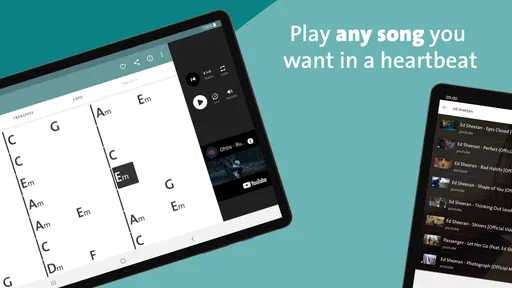
One of the coolest features of Chordify is its ability to transform any song into chords. Yes, you read that right! Whether it’s a chart-topping hit or an obscure indie track, Chordify has got you covered. You simply upload a song or choose one from its vast library, and voila! The chords are laid out for you.
In practice, I’d treat the first chord display as a draft to play against rather than an unquestionable transcription. If a change seems off, listen to that moment again and compare what you hear with the suggested shape; sometimes the useful discovery is not a perfect answer but a quick clue about where the harmony moves. This approach also helps me avoid a common beginner trap: staring at chord names without checking whether my changes land with the recording.
A good first session is to pick a song with a steady pulse and a repeated progression, then work through just one short section. I’d pause after each change, form the shape cleanly, and restart the passage instead of trying to master the whole track at once. Once the sequence feels familiar, I can play through longer sections and use the chart as a reminder rather than reading every chord as if it were new.
Practice at a pace that supports learning
Practicing music can sometimes feel like a chore, but Chordify manages to make it engaging. There's a nifty feature that allows you to slow down a track without changing the pitch, which is a game-changer when you're trying to nail that tricky solo or chord progression.
Slowing a recording is most useful when I have already identified the passage I want to learn. I can focus on the timing of a change, then return to the original pace to check whether I can keep up. It is less effective as a replacement for building rhythm: if I practise only at a reduced speed, the transition to the song’s normal feel may still be a challenge. I’d use the slower playback as a temporary aid, not the final test.
Plus, for those who like to jam along with friends, there’s an option to change the key of the song. This means you can adjust the chords to suit your vocal range or the capabilities of your instrument, making group performances smoother and more enjoyable.
Changing the key can make a song easier to sing, but it also changes the chord shapes I need to play. That trade-off is worth considering before a casual jam: I’d choose the key that feels comfortable for the singer, then spend a moment checking the new shapes before counting everyone in. If I’m learning the original arrangement or trying to match a recording exactly, keeping the song in its original key is usually the more straightforward choice.
A realistic practice routine
Imagine I have a few minutes after work, my guitar nearby, and a song stuck in my head. Rather than spending that short window searching separate chord sites and tutorial videos, I can look up the song, use the displayed sequence to start playing, and slow the track if a transition keeps catching me out. I might finish by trying the passage at full pace. That is a practical use of the app: turning a spare moment into a focused mini-session without needing to plan a full lesson.
For a beginner, I’d keep the goal modest: get through one verse with clean chord changes, even if the strumming is simple. For a more experienced player, the same chart can be a quick way to explore a song before deciding whether to work out the exact voicings or arrangement by ear. The app can get both players moving, but it does not make those different musical goals identical.
What the tuner adds—and what it does not
Another fantastic feature is the built-in tuner. As musicians know, keeping your instrument in tune is essential, and Chordify makes this a breeze. The tuner is precise and easy to use, saving you from the hassle of carrying around a separate tuning device.
Having a tuner alongside song chords is convenient because I can check my instrument before playing without reaching for another tool. That matters most when I’m practising casually and want to go straight from choosing a song to trying it. Still, the app’s main value for me is the song-based chord guidance; if tuning is the only thing I need, a dedicated tuner may be a simpler choice and keep my attention on that one task.
Exploring songs without losing focus
Chordify isn’t just about providing chords; it’s also about fostering a community of learners and musicians. There are user-generated playlists that you can explore, which is perfect for discovering new music or sharing your favorite tracks. It’s like having a whole world of music right at your fingertips.
Playlists can help when I want ideas for what to practise next, but I’d still choose songs based on what I can realistically play and enjoy. A familiar tune with a manageable progression is often a better practice pick than a technically ambitious song I won’t return to. That small choice makes the chord display more useful: it supports regular playing rather than becoming another catalogue to browse.
Moreover, the app offers integration with platforms like YouTube, which means you can watch and learn from video tutorials without having to switch between apps. It’s all about making learning as seamless as possible.
Video can add context that chord names alone cannot, such as how a player approaches a passage. I would use it when I need to see a technique or hear an explanation, then return to the chord view to practise along. If I want a structured course with progressive lessons, exercises and a teacher guiding each step, a dedicated learning app or instructor is likely a better fit than relying on song charts and linked learning material.
Where it sits among music-learning tools
Compared with searching the web for individual chord sheets, Chordify’s appeal is the song-centred workflow: I can move from a track I want to play to a sequence I can try, rather than piecing together several sources. A conventional chord chart may be better when I want a carefully edited arrangement, lyrics laid out for performance, or a specific version of a song. Learning by ear gives me more control over the details, but takes more time and confidence. Chordify occupies a useful middle ground: quicker than figuring everything out alone, while still leaving the playing and listening to me.
It is also not the same as a full music theory course. A chord sequence can help me recognise movement, but it will not automatically explain why one chord follows another or teach me to read notation. I’d choose it when the immediate goal is to play along with a particular song; I’d choose lessons or theory resources when my main goal is a structured understanding of music beyond that song.
Limits, cost and who should try it
The app is free to download, with in-app purchases ranging from around seven to fifty-four dollars per item. That makes it easy to try the basic approach, but anyone considering a purchase should check what the offered option includes and whether it matches their practice habits. Chordify is rated for Everyone, and its current version is 1999, with Android 8.0 or later required. Those details matter if I’m checking whether an older device can run it or deciding whether to spend money after trying the free experience.
The main limitation is one of expectations: chord prompts are not the same as a complete, polished lesson or a guaranteed exact arrangement for every player’s needs. I still have to listen closely, keep time and practise the transitions. A person who wants notation, detailed instruction, or a teacher’s feedback may find a specialist alternative more helpful. Someone who only wants to tune an instrument may also prefer a dedicated tuner. But for a player who wants to turn songs into approachable practice material, the focus makes sense.
Chordify is especially appealing to guitar, ukulele and piano players who learn by playing songs, including beginners who need a starting point and returning musicians who want to refresh familiar skills. It is less suitable for someone who expects the app to teach every technique or do the practising for them. I’d recommend giving it a try if finding the chords is the part that usually stops you from beginning; I’d keep another resource nearby when the challenge is deeper theory or detailed instruction.
Final Thoughts
In a nutshell, Chordify is a must-have tool for anyone serious about improving their musical skills. It’s intuitive, packed with useful features, and caters to musicians of all levels. Whether you’re an amateur just starting out or a seasoned pro, you’ll find something to love about this app.
So, if you’re ready to take your music skills to the next level, why not give Chordify a whirl? Download it, dive in, and let the music-making begin! With a little practice and the right tools, you’ll be playing your favorite tunes in no time.
Verdict
Strengths of Chordify: Song Chords & Tuner
- Easy chord detection for any song.
- Integrates well with popular streaming apps.
- Offline mode available for practice.
- User-friendly interface with clear visuals.
- Accurate tuning feature for instruments.
Limitations of Chordify: Song Chords & Tuner
- Limited chord variations for advanced users.
- Free version has frequent ads.
- Requires internet for initial song processing.
- Some songs may have incorrect chords.
- Premium features locked behind a paywall.
Similar Picks in This Category
View All
YouTube Music
Google LLC4.4

Samsung Music
Samsung Electronics Co., Ltd.3.8

Spotify: Music and Podcasts
Spotify AB4.3

JioSaavn - Music & Podcasts
Saavn Media Limited4.3

Lark Player:Music Player & MP3
Lark Player Studio - Music, MP3 & Video Player4.6

StarMaker: Sing Karaoke Songs
SKYWORK AI PTE. LTD.4.3
Frequently Asked Questions
What is Chordify and how does it work?
Chordify is a music app designed to help musicians, especially guitarists, pianists, and ukulele players, learn and play their favorite songs by providing accurate chords and a tuner. It automatically synchronizes chords with the song, allowing users to follow along in real time, enhancing their practice sessions.
Does Chordify offer a free version, and what are its limitations?
Yes, Chordify offers a free version that provides basic functionalities, including chord recognition and playback. However, the free version may include ads and does not offer premium features such as offline access, advanced player controls, and transposing capabilities. Users can upgrade to a premium subscription to unlock these features.
Is Chordify suitable for beginners?
Chordify is highly suitable for beginners, as it provides an easy-to-use interface and visually displays chords in a simple format. The app's automatic chord recognition simplifies the learning process, making it accessible for users who are just starting to learn an instrument and want to practice with real songs.
Can I use Chordify offline?
Offline access is available with a premium subscription. This feature allows users to download songs and access them without an internet connection, making it convenient for practice sessions in locations with limited connectivity. The offline mode is especially useful for musicians on the go.
What instruments are supported by Chordify?
Chordify supports guitar, piano, and ukulele, providing chord diagrams and tuning options for each instrument. Users can easily switch between instruments in the app, making it versatile for multi-instrumentalists or those looking to learn different instruments while practicing their favorite songs.
